AI Creative Tools • 2024–2025
PictureStudio–
Editor
After generating images, people needed a clear way to move into refining, extending, and reworking them without losing the thread of what they were making.
CHALLENGE
From generating to making
The first image is only the starting point.
Generating an image was only the starting point. Artists and designers needed ways to keep working — fixing details, extending a composition, combining ideas, or making targeted changes without starting over.
The challenge was adding that depth without rebuilding a traditional image editor inside PictureStudio.
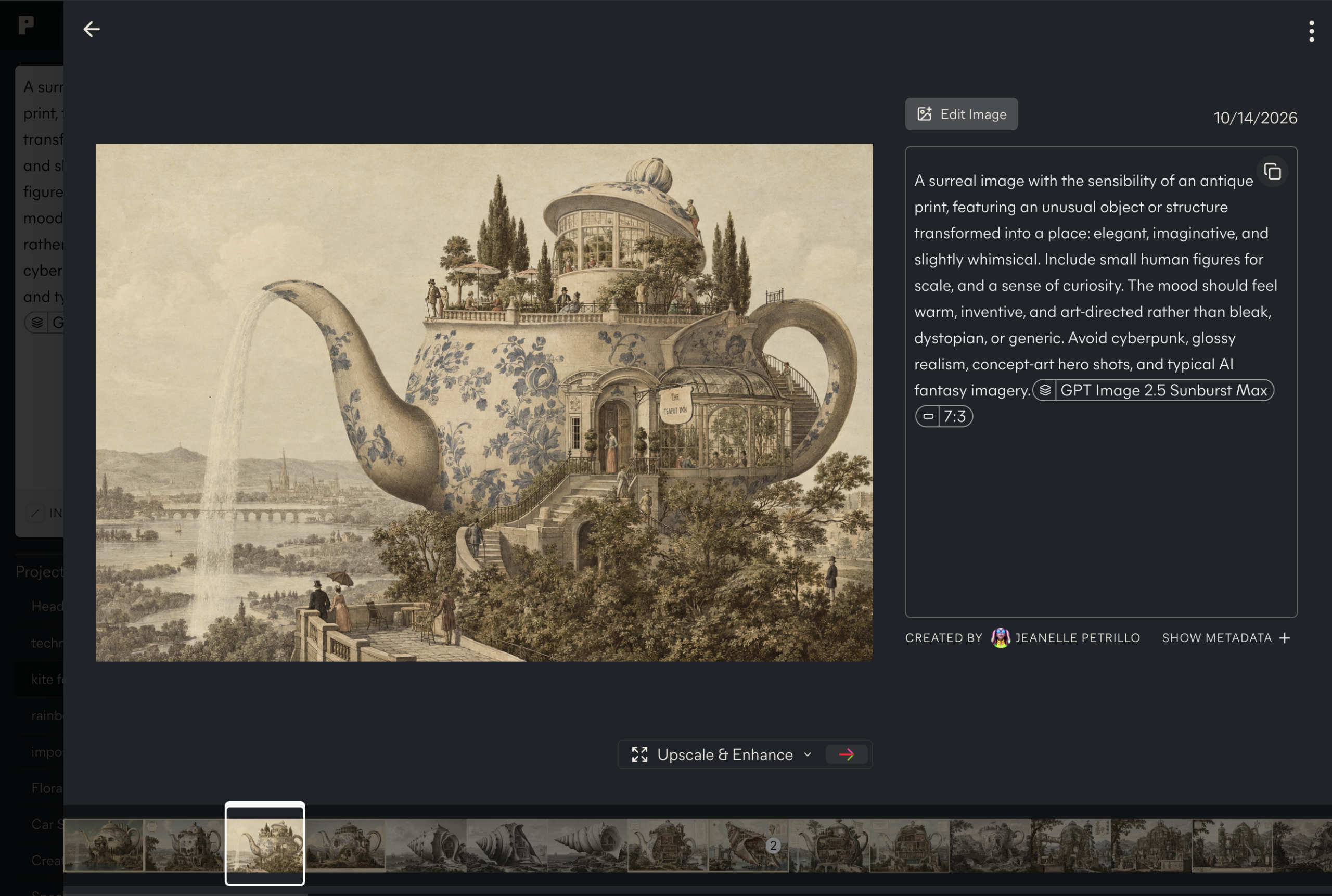
A right click or couple taps from image generation to preview to editing
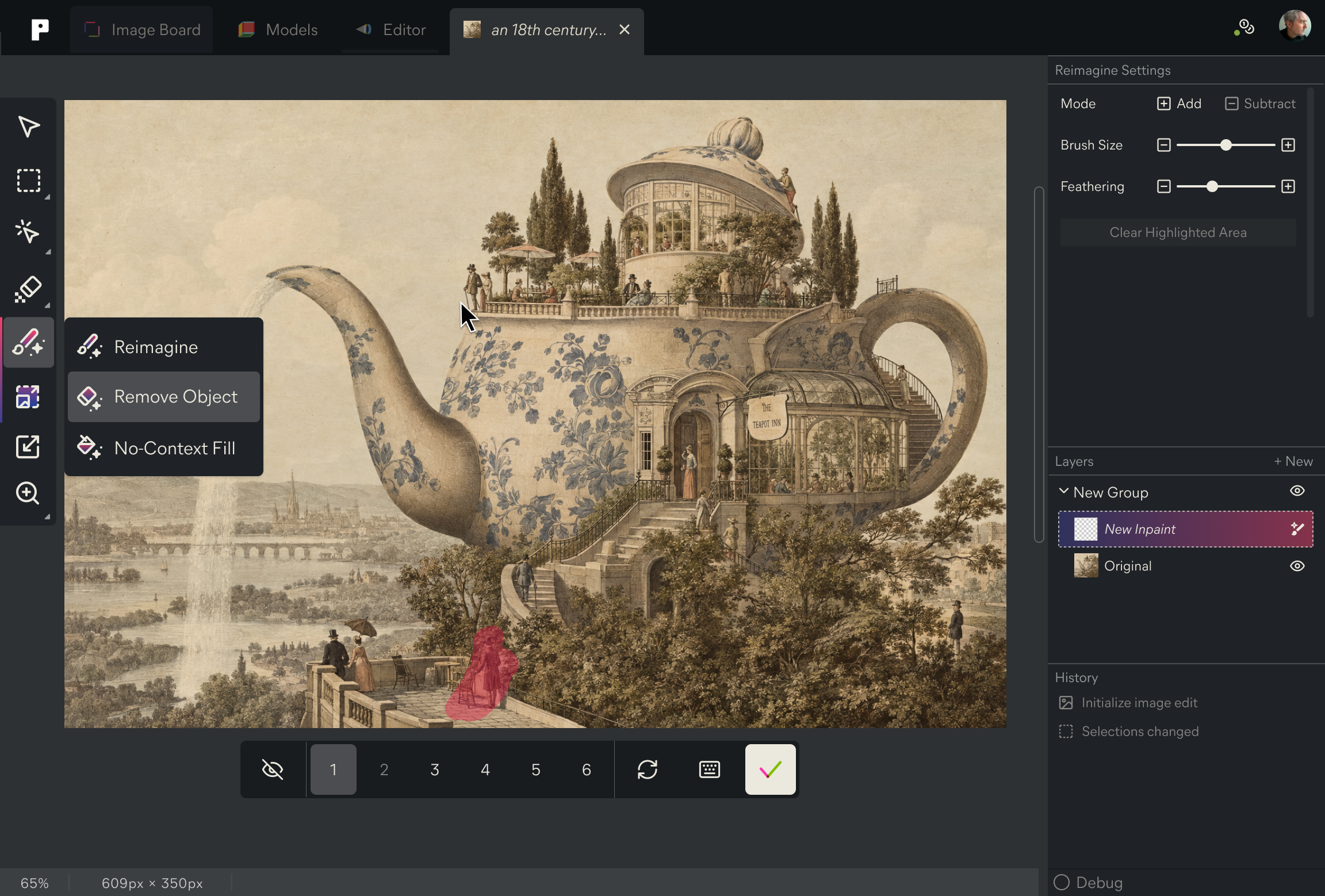
Editing
Keeping the idea moving
The editor was designed around the kinds of changes that naturally came after generation: selecting part of an image, describing what should change, extending beyond the frame, removing something, or bringing in another image.
Rather than separating generation and editing into different modes, I worked on making them feel like one continuous process.
Workflows
Editing in context
Tools appeared around the image or selection being worked on, so the interface stayed focused on the change someone was trying to make.
That meant deciding what belonged directly on the canvas, what needed more explanation, and how much to show at once.
Impact
Building beyond the first result
The editor shifted PictureStudio from a place to generate images into a place to keep working with them.
It also made it clear that generation, editing, history, and saved work couldn’t behave like separate features. They needed to feel connected enough that someone could move between them without breaking their flow.
Role
Founding Senior Designer & Design Lead
Deliverables / Focus
UI/UX design, Information architecture, Wireframing, Prototyping, Product strategy,
Product design, Interaction design
platforms
Web, Mobile
Collaborators
Kelli Anderson, Brand Design
Alice Zhang & Kelly Mao, Design
Robert Blackwood, Development
Ryan Hinkel, CTO
Jonas Jongejan, Advisor
Raul Gutierrez, Founder & CEO